
How to Revive a Dead Cordless Drill Battery and Make It Work
A cordless drill battery can appear completely dead for several reasons. Sometimes the battery is simply deeply discharged or too hot or cold for the charger to accept it. In other cases, dirty terminals, a faulty charger, damaged cells, or the battery pack’s built-in protection circuit may be preventing normal charging.
If you are trying to learn how to revive a dead cordless drill battery, the first step is identifying the battery type and the reason it stopped working. Modern lithium-ion packs require a very different approach from older nickel-cadmium or nickel-metal hydride batteries. Methods that were sometimes used on older battery chemistry can be unsafe when applied to lithium-ion packs.
In many situations, a battery that looks dead can be brought back simply by allowing it to reach room temperature, cleaning the electrical contacts, reseating it in a known-good charger, or resetting the charger and pack. However, a swollen, leaking, cracked, overheated, or internally damaged battery should not be opened, jump-started, or forced to charge.
This guide explains safe troubleshooting steps, common reasons cordless drill batteries stop charging, which revival methods are reasonable to try, which methods should be avoided, and when replacing the battery is the better choice.
Read More: how to dispose of cordless drill batteries
How to Revive a Dead Cordless Drill Battery
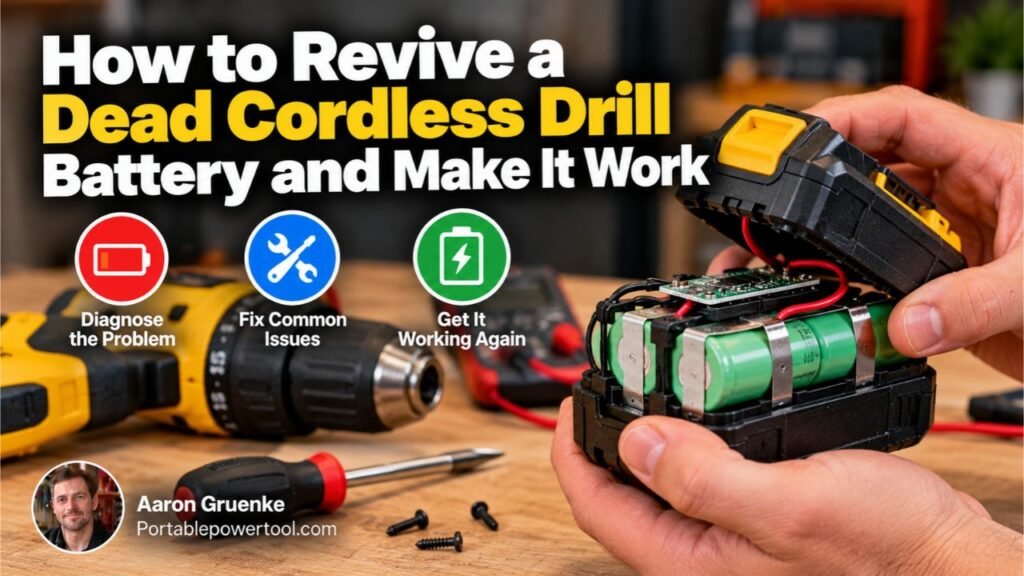
To revive a dead cordless drill battery, first let the battery reach room temperature, inspect it for damage, clean the terminals, and test it in the correct charger. Disconnect and reconnect the charger if necessary, then allow the battery to charge according to the manufacturer’s instructions.
For modern lithium-ion batteries, do not try to revive a deeply discharged pack by connecting it directly to another battery, car battery, power supply, or loose wires. Lithium-ion packs contain protection electronics, and bypassing those systems can create a fire or overheating hazard.
A practical troubleshooting order is:
- Identify the battery chemistry.
- Inspect the pack for physical damage.
- Let the battery return to normal room temperature.
- Clean the battery and charger contacts.
- Reset the charger.
- Test the charger with another compatible battery if possible.
- Try a normal charging cycle.
- Replace or professionally service the pack if it still will not charge.
The exact solution depends on what caused the battery to stop working.
Identify What Type of Drill Battery You Have
Before troubleshooting, check the battery label.
Most cordless drill batteries fall into three main categories:
- Lithium-ion (Li-ion)
- Nickel-cadmium (NiCd)
- Nickel-metal hydride (NiMH)
Modern cordless tools mostly use lithium-ion batteries because they offer high energy density, relatively low weight, and good power output.
Older drills may use NiCd or NiMH packs.
Battery chemistry matters because the charging systems and failure behavior are different.
Lithium-Ion Batteries
Lithium-ion tool batteries usually include an internal battery management system, often called a BMS or protection circuit.
This electronics system may monitor:
- Cell voltage
- Temperature
- Charging conditions
- Excessive current
- Deep discharge
- Short circuits
If the voltage drops too low, the pack may shut itself down to protect the cells.
That shutdown can make the battery appear completely dead.
Nickel-Cadmium Batteries
Older NiCd batteries are generally more tolerant of deep discharge than lithium-ion packs.
However, aging NiCd cells can lose capacity, develop high internal resistance, or fail individually.
Nickel-Metal Hydride Batteries
NiMH batteries are similar in appearance to some older NiCd packs but have different charging characteristics.
They can also lose capacity over time, especially after years of use or improper storage.
First, Check the Battery for Damage
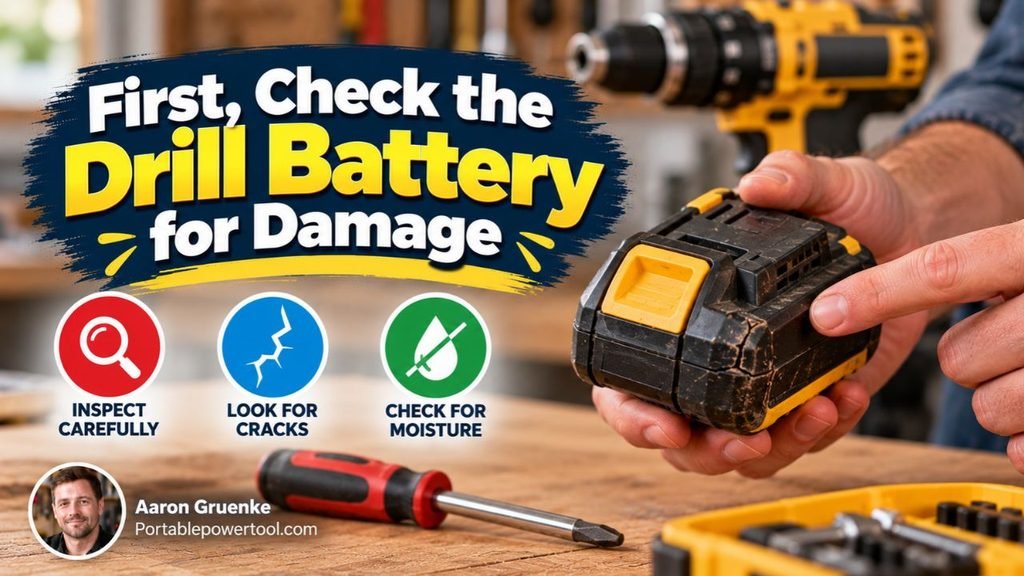
Do not attempt to charge or revive a battery until you have inspected it.
Stop using the battery if you notice:
- Swelling
- Cracks
- Melted plastic
- Leaking fluid
- Burn marks
- Corroded or severely damaged terminals
- A strong chemical odor
- Unusual heat
- Signs that the pack has been crushed or punctured
A physically damaged lithium-ion battery can become unstable.
Do not open the battery housing to inspect the cells unless you are trained to service rechargeable battery packs.
For most homeowners, replacement is safer and more practical than repairing damaged internal cells.
Let the Battery Reach Room Temperature
Temperature is one of the simplest reasons a cordless drill battery may refuse to charge.
Lithium-ion battery chargers often stop charging if the pack is excessively hot or cold.
For example, a battery may become hot after:
- Heavy drilling
- Driving long screws
- Using a hole saw
- Continuous high-load work
- Rapidly discharging the pack
A battery may also become too cold if it has been stored in an unheated garage, vehicle, or shed during winter.
Bring the battery indoors and let it gradually return to normal room temperature.
Do not heat the battery with:
- A heat gun
- Hair dryer
- Space heater
- Oven
- Open flame
- Hot water
Artificially heating a lithium-ion battery can damage the cells or create a safety hazard.
Once the battery reaches a normal temperature, try the charger again.
Clean the Battery Terminals
Dirty or oxidized contacts can prevent the battery from making a reliable electrical connection with the charger.
Remove the battery from the drill and charger.
Inspect the metal contacts.
If they are dusty or lightly dirty, wipe them with a clean, dry cloth.
For stubborn grime, a small amount of appropriate electrical contact cleaner may be useful if permitted by the tool manufacturer.
Allow everything to dry completely before reconnecting the battery.
Do not scrape the terminals aggressively with a knife or screwdriver because you could damage the conductive surface or accidentally short the contacts.
Clean the Charger Contacts
The battery may not be the problem.
Check the charger terminals as well.
Dust, workshop debris, oxidation, or damaged contacts can interfere with charging.
Unplug the charger before cleaning it.
Inspect the contacts for:
- Dirt
- Bent terminals
- Corrosion
- Burn marks
- Loose parts
If the charger shows signs of overheating or electrical damage, stop using it.
Reset the Battery Charger
Electronic chargers can occasionally fail to recognize a battery correctly.
A basic reset may help.
Try this sequence:
- Remove the battery from the charger.
- Unplug the charger from the wall outlet.
- Leave it disconnected briefly.
- Plug the charger back in.
- Reinsert the battery fully.
Check the charger’s indicator lights.
Many chargers use different light patterns to indicate:
- Charging
- Fully charged
- Battery too hot
- Battery too cold
- Faulty battery
- Poor connection
Because indicator meanings vary by manufacturer, check your charger manual if the lights are flashing unexpectedly.
Make Sure the Battery Is Fully Seated
A surprisingly common problem is incomplete contact between the battery and charger.
Slide or press the battery into the charger until it reaches its normal locked or seated position.
Do not force it.
If the battery fits loosely or only charges when pushed in a certain direction, inspect both the pack and charger for damaged rails, latches, or terminals.
Test the Charger With Another Battery
If you own another compatible battery, place it in the same charger.
If the second battery charges normally, the first battery is probably the problem.
If neither battery charges, the charger or power supply may be faulty.
This simple comparison can prevent you from replacing a battery when the actual problem is the charger.
You can also test the suspect battery in another compatible charger if you have access to one approved for that battery system.
Check the Electrical Outlet
Before assuming the battery has failed, make sure the charger is receiving power.
Try another outlet or test the outlet with another device.
If the charger uses an extension cord or power strip, remove it temporarily and connect the charger directly to a working wall outlet.
A tripped breaker, switched outlet, damaged power strip, or defective extension cord can make the battery charger appear faulty.
Leave a Deeply Discharged Battery on Its Proper Charger
Some batteries that have been stored for a long time may take longer than expected to be recognized by their charger.
Install the battery in the manufacturer’s correct charger and follow the normal charging procedure.
Do not repeatedly remove and reinstall the pack every few seconds.
Give the charger time to complete its normal detection process.
However, if the charger displays a definite fault indication, repeatedly attempting to force a charge is unlikely to fix a failed pack.
Why a Lithium-Ion Drill Battery May Appear Dead
Modern tool batteries contain several cells connected together.
If one cell group falls below an acceptable voltage, the protection system may disable the pack.
Other possible causes include:
- Excessive discharge
- Cell imbalance
- Aging cells
- High internal resistance
- Temperature sensor failure
- Internal fuse failure
- Damaged protection electronics
- Corrosion
- Broken internal connections
A battery management system is designed to prevent unsafe operation.
Trying to bypass that system can turn a simple battery problem into a serious safety issue.
Should You Jump-Start a Dead Drill Battery?
For modern lithium-ion tool batteries, jump-starting is not a recommended DIY revival method.
You may find instructions online suggesting connecting a charged battery to a dead battery using wires.
That approach can be dangerous because uncontrolled current may flow between the packs.
Possible consequences include:
- Overheated cells
- Melted wiring
- Damaged electronics
- Internal short circuits
- Fire
- Battery rupture
It may also bypass the protection features built into the battery pack.
The fact that a battery can sometimes be temporarily brought above the charger’s detection threshold does not mean the method is safe.
If a lithium-ion pack has discharged below the level its charger will accept, replacement or professional evaluation is usually the safer option.
Can You Use a Car Battery to Revive a Drill Battery?
No. Connecting a cordless drill battery directly to a car battery is not an appropriate charging method.
A car battery can supply extremely high current.
Cordless drill batteries require controlled charging based on their specific chemistry, cell configuration, temperature, and voltage.
Directly connecting the two can cause severe overheating, electrical damage, or fire.
Use only a charger designed for your drill battery system.
Can You Use a Bench Power Supply?
Technicians who understand rechargeable battery systems sometimes use specialized equipment to diagnose individual cells and battery packs.
That is different from connecting a drill battery to a generic power supply without proper monitoring.
Lithium-ion charging requires precise voltage and current control.
For a beginner, attempting to charge a tool battery using an adjustable power supply introduces unnecessary risk.
Use the manufacturer’s charger or have the battery evaluated professionally.
Older NiCd Battery Revival Methods
Older nickel-cadmium batteries sometimes suffer from reduced capacity after years of use.
Historically, various techniques have been used to restore or recondition NiCd battery packs.
However, many popular DIY techniques involve applying uncontrolled voltage or current to individual cells.
These methods can still damage the battery or cause overheating.
A safer approach is to use a charger that specifically supports NiCd conditioning or refresh cycles.
If the pack is old enough that multiple cells have deteriorated, replacing the pack is usually more reliable than trying to force damaged cells back into service.
Does Fully Discharging a Drill Battery Restore It?
Usually not, and with lithium-ion batteries, intentionally running the battery completely flat is generally undesirable.
Modern lithium-ion batteries do not need to be fully discharged before charging.
Deep discharge can actually shorten battery life and may cause the protection circuit to shut down the pack.
For normal use, recharge a lithium-ion battery when convenient rather than deliberately draining it to zero.
Older nickel-based batteries behave differently, but even then, repeated extreme discharge is not a universal cure for lost capacity.
Why the Charger Says the Battery Is Defective
Many modern chargers can detect abnormal conditions.
A fault light may indicate:
- Battery voltage outside the acceptable range
- Excessive temperature
- Damaged cells
- Internal communication problem
- Poor electrical contact
- Charger malfunction
If cleaning the contacts, allowing the pack to reach room temperature, and resetting the charger do not clear the fault, the battery may have reached the end of its useful life.
Signs Your Drill Battery Is Worn Out
Rechargeable batteries are consumable components.
Even when properly maintained, their capacity gradually declines.
Common signs of battery aging include:
- Very short runtime
- Rapid voltage drop under load
- Battery charges unusually quickly but dies quickly
- Drill slows down much sooner than before
- Charger repeatedly reports a fault
- Battery becomes unusually hot during light use
- Battery refuses to charge
- Battery has been stored unused for years
One failed cell group can make the entire pack unusable.
Why a Battery Charges but Dies Quickly
A battery that accepts a charge but provides only a few minutes of use usually has reduced capacity.
Possible causes include:
- Aging cells
- One weak cell group
- High internal resistance
- Repeated overheating
- Long-term improper storage
- Heavy use over many charge cycles
A normal-looking charge indicator does not necessarily mean the battery still has its original capacity.
If runtime has become extremely short, replacing the pack is usually the practical solution.
Can Individual Cells Be Replaced?
Technically, rechargeable battery packs can sometimes be rebuilt by replacing internal cells.
However, modern lithium-ion tool batteries are more complicated than simply connecting several cells together.
They may include:
- Welded cell connections
- Temperature sensors
- Protection circuits
- Communication electronics
- Cell-balancing systems
- High-current conductors
Incorrect replacement cells or poor connections can create unsafe current loads.
Battery rebuilding is therefore better handled by a reputable battery repair service familiar with the specific pack.
Do Not Open a Lithium-Ion Battery Just to Reset It
Opening a battery casing can expose high-current electrical connections.
Even a pack that appears dead may contain substantial stored energy.
A metal tool placed across the wrong terminals can create an immediate short circuit.
For ordinary troubleshooting, there is normally no reason to open the pack.
External checks are much safer.
How to Tell Whether the Charger or Battery Is Bad
A simple comparison test can often identify the faulty component.
| Test Result | Likely Problem |
| Another battery charges normally | Original battery likely faulty |
| No compatible battery charges | Charger or power source may be faulty |
| Battery works in another approved charger | Original charger likely faulty |
| Battery fails in multiple approved chargers | Battery likely faulty |
| Charger shows temperature warning | Battery may be too hot or cold |
| Battery charges but runtime is very short | Battery cells likely worn |
Testing with known-good compatible equipment is more reliable than guessing.
How to Prevent a Cordless Drill Battery From Dying
Good storage and charging habits can extend battery life.
Avoid Extreme Heat
Heat accelerates battery aging.
Do not leave cordless drill batteries for long periods in:
- Hot vehicles
- Direct sunlight
- Near heaters
- Extremely hot garages
Let a battery cool after heavy use before charging if the manufacturer recommends doing so.
Avoid Long-Term Deep Discharge
Do not leave a fully depleted lithium-ion battery sitting unused for months.
If you know the tool will not be used for an extended period, follow the manufacturer’s storage recommendations.
Keep the Terminals Clean
Store batteries where metal shavings, screws, nails, and other conductive objects cannot contact the terminals.
A conductive object across exposed contacts can short the battery.
Use the Correct Charger
Use a charger approved for the battery model and chemistry.
Similar-looking tool batteries are not necessarily electrically compatible.
Store Batteries in a Dry Location
Moisture can cause corrosion and electrical damage.
Store tool batteries in a clean, dry environment within the temperature range recommended by the manufacturer.
What to Do With a Battery That Cannot Be Revived
If the battery is permanently defective, do not place a rechargeable tool battery in ordinary household trash where prohibited.
Rechargeable batteries should generally be taken to an appropriate battery recycling or household hazardous-waste collection location.
Cover exposed terminals according to local recycling guidance, especially when transporting lithium-ion batteries.
Retailers, municipal recycling programs, and dedicated battery recycling centers may accept cordless tool batteries.
When Replacement Is Better Than Repair
Replacing the battery usually makes sense when:
- The pack is swollen or physically damaged.
- It repeatedly triggers charger fault warnings.
- Runtime has become extremely short.
- It overheats during normal use.
- It has failed after years of service.
- The cells have become significantly imbalanced.
- Professional repair costs approach the price of a replacement.
Use a genuine or properly specified compatible replacement designed for your drill system.
Voltage alone is not enough to determine compatibility.
The battery also needs the correct connector, electronics, charging system, and physical interface.
Common Mistakes to Avoid
Repeatedly Forcing a Faulty Battery to Charge
If the charger consistently identifies the battery as defective, repeatedly reconnecting it will not repair damaged cells.
Jumping Lithium-Ion Batteries With Wires
Direct battery-to-battery connections can create uncontrolled current and bypass safety electronics.
Charging With the Wrong Charger
Using a charger designed for another voltage or chemistry can damage the battery.
Heating a Cold Battery Rapidly
Let the battery warm naturally indoors.
Do not use heaters or hot air.
Continuing to Use a Swollen Battery
Swelling is a sign of internal failure.
Stop using the pack and arrange for proper disposal or recycling.
Assuming Every Dead Battery Can Be Fixed
Rechargeable cells wear out.
Sometimes replacement is the only sensible solution.
FAQs About How to Revive a Dead Cordless Drill Battery
Can a completely dead cordless drill battery be revived?
Sometimes. A battery may appear dead because it is too hot, too cold, has dirty contacts, or the charger is not recognizing it correctly.
If the internal cells are damaged or severely degraded, the battery may not be recoverable.
How do I reset a cordless drill battery?
Most tool batteries do not have a universal external reset button.
A safe first step is to remove the battery, unplug the charger, reconnect the charger, and reinstall the battery after it has reached room temperature.
Check your specific battery manual for manufacturer-approved reset procedures.
Why is my drill battery not charging at all?
Possible causes include dirty contacts, a faulty charger, extreme battery temperature, deep discharge, damaged cells, or a failed internal protection circuit.
Testing another compatible battery and charger can help identify the faulty component.
Is it safe to jump-start a lithium-ion drill battery?
It is not recommended for normal DIY troubleshooting.
Directly connecting lithium-ion battery packs can produce uncontrolled current and may bypass important protection systems.
Can I leave a dead battery on the charger overnight?
Follow the battery and charger manufacturer’s instructions.
Modern approved chargers often manage charging automatically, but leaving a battery connected will not necessarily revive internally damaged cells.
Do not leave a questionable, damaged, or overheating battery charging unattended.
Why does my drill battery flash red on the charger?
The meaning of a red or flashing light depends on the charger model.
It may indicate charging, temperature delay, poor contact, or a defective battery.
Check the charger’s label or owner’s manual for the exact light pattern.
Can freezing temperatures kill a cordless drill battery?
Cold temperatures can temporarily reduce battery performance and may prevent charging.
Allow a cold battery to return naturally to room temperature before attempting to charge it.
Long-term exposure to unsuitable temperatures can contribute to battery deterioration.
How long do cordless drill batteries last?
Battery lifespan varies greatly depending on chemistry, usage, charging habits, storage temperature, discharge depth, and manufacturing quality.
Instead of relying on a fixed number of years, watch for declining runtime, frequent charging faults, unusual heat, and loss of power.
Conclusion
Learning how to revive a dead cordless drill battery starts with safe diagnosis rather than trying to force electricity into the pack. Let the battery reach room temperature, inspect it carefully, clean the contacts, reset the charger, and test the battery with known-good compatible equipment when possible.
Many apparent battery failures are caused by temperature, dirty terminals, poor connections, or charger problems. However, a lithium-ion battery that remains unrecognized, overheats, has physical damage, or has severely degraded cells should not be jump-started or opened by an inexperienced user.
If normal manufacturer-approved charging methods do not restore the battery, replacement or professional battery service is usually the safest and most reliable solution.