
How to Fix a Cordless Drill Battery: Safe Troubleshooting Guide
A cordless drill is only useful when its battery can reliably hold and deliver a charge. If your drill suddenly stops working, runs for only a few minutes, refuses to charge, or shows a charger error, it is easy to assume the battery is completely dead.
In many cases, however, the problem may be something simpler, such as dirty electrical contacts, an overheated battery, an incompatible charger, or a pack that is not fully seated.
Learning how to fix a cordless drill battery starts with diagnosing the problem rather than immediately opening the battery pack. Modern cordless tools commonly use lithium-ion batteries, which contain multiple cells, electronic protection circuits, and a battery management system. These packs can store significant energy, so opening the case, bypassing safety electronics, shorting terminals, or attempting improvised charging can create a fire or injury risk.
Fortunately, there are several safe checks you can perform at home. You can inspect and clean the contacts, allow the battery to reach a normal temperature, verify the charger and power outlet, test the battery in another compatible tool, and determine whether the problem is actually the battery or something else.
This guide explains the most common cordless drill battery problems, what you can safely troubleshoot yourself, when a battery may be recoverable, and when replacement is the smarter option.
Read More: how to charge a cordless drill without a charger
How to Fix a Cordless Drill Battery Safely
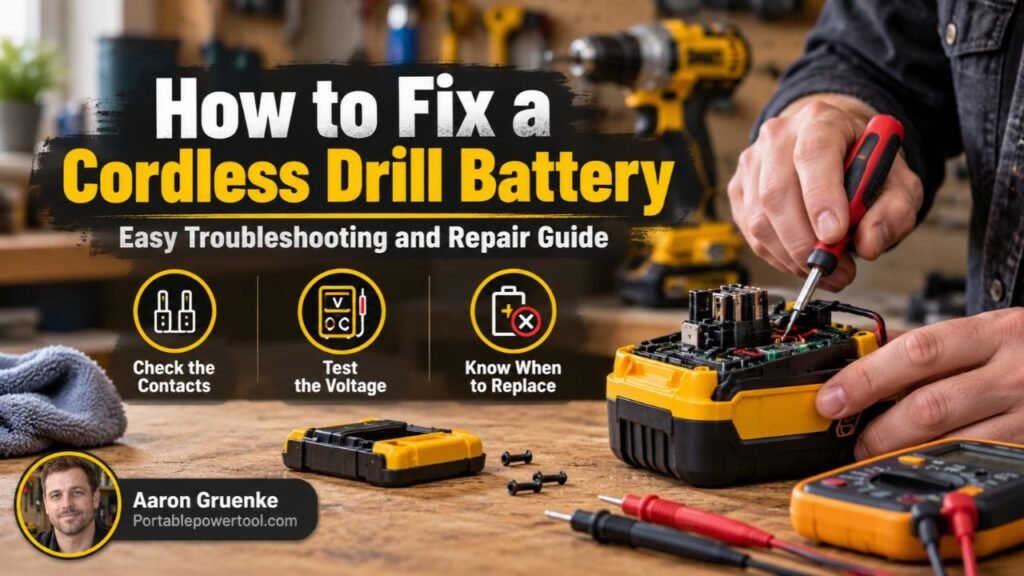
To fix a cordless drill battery, first determine whether the problem comes from the battery, charger, drill, electrical contacts, or temperature protection system. Clean the contacts, let the battery reach room temperature, confirm that the charger has power, and test the battery with another compatible tool or charger if available.
For most users, the safest troubleshooting process is:
- Remove the battery from the drill.
- Inspect the battery for swelling, cracking, leaks, or heat damage.
- Clean the battery and tool contacts.
- Allow a hot or cold battery to reach room temperature.
- Check the charger and wall outlet.
- Reinstall the battery correctly.
- Test another compatible battery if available.
- Replace or professionally service the pack if it still will not operate normally.
Do not open a lithium-ion battery pack or bypass its internal protection system unless the manufacturer specifically designed the pack for user servicing.
Read More: how to dispose of cordless drill batteries
First, Identify What the Battery Is Doing
Different symptoms point to different problems.
The Battery Will Not Charge at All
If the charger does not recognize the battery, possible causes include:
- Dirty terminals
- Battery temperature outside the charger’s acceptable range
- Damaged charger
- Failed battery cells
- Internal battery protection fault
- Damaged battery-management electronics
A battery that has been stored completely discharged for a long time may also fall below the voltage level that its charger accepts.
Do not attempt to force-charge or “jump-start” a lithium-ion pack with another battery or an external power source.
The Battery Charges but Dies Quickly
A cordless drill battery that appears to charge normally but provides very little runtime may have lost capacity.
Rechargeable cells gradually wear with age and use. A pack may still reach the charger’s “full” indication while storing much less energy than it did when new.
Other possibilities include:
- Heavy drill load
- Very cold conditions
- Worn battery cells
- Internal resistance in aging cells
- A problem with the drill motor or gearbox
The Battery Works Intermittently
If the drill cuts in and out when you move the battery, dirty or damaged terminals may be responsible.
A loose battery latch or worn tool contacts can also interrupt power.
The Battery Gets Hot
Some warming during heavy use or charging can be normal, but a battery that becomes unusually hot should be removed from service.
Stop using a pack if it:
- Becomes excessively hot
- Swells
- Smells unusual
- Leaks
- Has melted plastic
- Makes unusual noises
Move away from a battery that is smoking or actively failing and follow local fire-safety guidance.
Check the Battery for Physical Damage
Before trying anything else, visually inspect the battery.
Remove it from the drill and look over the housing carefully.
Watch for:
- Cracks
- Swelling
- Burn marks
- Melted plastic
- Rust or corrosion
- Loose terminals
- Impact damage
- Signs of liquid contamination
A damaged lithium-ion battery pack should generally be replaced rather than repaired at home.
Do not use a swollen battery. Swelling can indicate an internal cell failure.
Clean the Battery Contacts
Dirty contacts are one of the easiest problems to correct.
The metal terminals on the battery must make solid electrical contact with matching terminals in the drill and charger.
Dust, oxidation, grease, and debris can interfere with that connection.
How to clean the contacts
- Remove the battery from the drill and charger.
- Make sure the battery is cool and dry.
- Inspect the terminals.
- Wipe loose dust away with a clean, dry cloth.
- Use a soft brush for stubborn debris.
- If necessary, lightly clean accessible contacts with an appropriate electrical-contact cleaner following the product instructions.
- Let everything dry completely before reinstalling the battery.
Never bridge two battery terminals with a metal tool.
A direct short circuit can produce very high current almost instantly.
Let the Battery Reach Room Temperature
Modern battery chargers often refuse to charge packs that are too hot or too cold.
This is a safety feature, not necessarily a sign that the battery has failed.
For example, a battery may become hot after:
- Drilling large holes
- Driving long screws
- Using a hole saw
- Repeated high-torque work
- Operating the drill continuously
Remove the battery and let it cool naturally in a dry, well-ventilated indoor location.
Likewise, a battery stored in a cold garage or vehicle may need time to warm before charging.
Do not place a hot battery in a refrigerator or freezer to cool it quickly.
Check the Charger
Sometimes the battery is blamed when the charger is actually the problem.
Verify the Power Outlet
Plug another device into the outlet to confirm that it works.
If the outlet is controlled by a wall switch, make sure the switch is on.
Check the Charger Cord and Plug
For corded chargers, inspect the cable for:
- Cuts
- Fraying
- Bent pins
- Loose connections
- Heat damage
Do not use a charger with damaged wiring.
Read the Charger Indicator
Most cordless-tool chargers use LEDs to indicate battery status.
Depending on the model, the light pattern may indicate:
- Charging
- Fully charged
- Battery too hot
- Battery too cold
- Battery fault
- Charger fault
The meaning varies by manufacturer, so check the manual for your particular charger.
Make Sure the Battery Is Fully Seated
A battery can look installed while still failing to engage completely.
Remove the pack and reinstall it until the latch fully locks.
Also check for debris in:
- Battery rails
- Tool slots
- Charger tracks
- Latching mechanisms
Accumulated sawdust or construction debris can prevent full engagement.
Test the Battery in Another Compatible Tool
If you own more than one tool in the same battery platform, testing the battery in another compatible tool can quickly narrow down the problem.
For example:
- If the battery works normally in another tool, the drill may be faulty.
- If the battery fails in every compatible tool, the battery becomes the likely problem.
- If multiple batteries fail in one drill, the drill may need service.
Only use batteries and tools specifically designed to work together.
Matching voltage alone does not guarantee compatibility.
Test Another Battery in the Drill
If you have another known-good battery from the same tool system, install it in the drill.
If the drill works normally, the original battery is probably the source of the problem.
If neither battery works, investigate the drill itself.
Possible drill-related faults include:
- Trigger switch failure
- Motor problems
- Electronic controller failure
- Damaged battery terminals
- Internal wiring problems
Understand Lithium-Ion Battery Protection
Most modern cordless drills use lithium-ion battery packs.
These are not simply groups of batteries connected together. The pack may also contain electronics that monitor:
- Cell voltage
- Temperature
- Charge current
- Discharge current
- Overload conditions
The protection system may shut down the battery when unsafe conditions are detected.
For example, a pack may stop delivering power if it becomes too hot during heavy drilling.
Once it cools, it may operate normally again.
This protective shutdown should not be bypassed.
Can You Reset a Cordless Drill Battery?
Some battery packs recover automatically after a temporary protection condition.
Removing the battery from the tool, allowing it to cool, and then placing it in the correct charger may return it to normal operation.
However, there is no universal “reset procedure” that works for all cordless drill batteries.
Be cautious with online methods involving:
- Bridging battery terminals
- Applying external voltage
- Connecting another battery
- Opening the pack
- Bypassing protection circuits
These methods can defeat built-in safety features and may damage the battery or create a fire hazard.
Follow the manufacturer’s troubleshooting instructions instead.
Can a Completely Dead Cordless Drill Battery Be Revived?
Sometimes, but not always.
A battery that appears dead because it is too hot, too cold, dirty, or poorly connected may work again after the underlying problem is corrected.
A battery with internally failed or deeply deteriorated cells usually needs replacement or professional rebuilding.
Lithium-ion packs that have fallen into a severely discharged state should not be force-charged using improvised equipment.
If the normal manufacturer-approved charger refuses the pack after basic troubleshooting, replacement is usually the safest solution.
What If the Battery Charges but Has Very Short Runtime?
Short runtime is a common sign of battery aging.
Rechargeable batteries gradually lose usable capacity as they go through charge and discharge cycles.
You can confirm the problem by comparing the suspect pack with another compatible battery under similar conditions.
For example, if:
- Battery A drives 50 screws,
- Battery B drives only a few screws,
and both were fully charged, Battery B probably has substantially reduced capacity.
Exact runtime will vary with drill load, battery capacity, temperature, and tool condition.
Check Whether the Drill Is Overloading the Battery
A battery that seems weak may actually be responding to excessive load.
High-demand tasks can cause a battery’s protection system to shut down temporarily.
Examples include:
- Large hole saws
- Large auger bits
- Long structural screws
- Drilling thick metal
- Binding drill bits
- Operating at the wrong gear setting
If the drill stops during a demanding task but works again afterward, overload protection may be activating.
Use the correct bit, drill speed, and gear for the job.
Use the Correct Drill Gear
Many cordless drills have a two-speed gearbox.
The lower gear generally provides:
- Lower speed
- Higher torque
The higher gear generally provides:
- Higher speed
- Lower available torque
Using high gear for an extremely demanding job may cause the drill to struggle and draw heavy current from the battery.
Switching to the appropriate gear can reduce stress on both the drill and battery.
Older NiCd and NiMH Drill Batteries
Older cordless drills may use nickel-cadmium (NiCd) or nickel-metal hydride (NiMH) batteries rather than lithium-ion packs.
These battery types behave differently.
NiCd packs were common on older cordless tools and can sometimes be professionally rebuilt by replacing worn internal cells.
NiMH packs are also rebuildable in some circumstances.
However, battery rebuilding involves high-current cells, welded electrical connections, insulation, and proper cell matching. For most users, a specialist battery-rebuilding service is safer than attempting cell replacement at home.
Also remember that cadmium is toxic, so old NiCd batteries should be recycled properly rather than discarded in household trash.
Should You Open a Cordless Drill Battery Pack?
For most modern lithium-ion batteries, no.
Opening the housing exposes:
- High-current cells
- Conductive bus bars
- Temperature sensors
- Protection electronics
- Closely spaced electrical connections
An accidental short can generate intense heat.
Opening the pack may also void warranties and compromise its protective construction.
If internal repair is required, use an authorized service center or a qualified battery repair specialist.
Should You Replace Individual Lithium-Ion Cells?
Individual cell replacement is technically possible in some battery packs, but it is not a beginner repair.
Cells within a pack must be properly matched for characteristics such as:
- Chemistry
- Capacity
- Voltage behavior
- Current capability
Improper cell selection or connection can create an unbalanced battery pack.
Tool batteries also commonly use welded connections rather than ordinary soldered wires because the cells must handle high current.
For normal DIY troubleshooting, replacing the complete battery is usually safer.
Do Not Jump-Start a Lithium-Ion Drill Battery
You may encounter online advice suggesting connecting a healthy battery to a dead one to “wake it up.”
This is not a recommended home repair method.
Applying uncontrolled current to a deeply discharged lithium-ion cell can cause overheating, internal damage, or fire.
A proper charger communicates with or works alongside the battery’s protection system and controls the charging process.
If the approved charger rejects a battery, investigate the cause rather than bypassing the charger.
How to Tell If a Cordless Drill Battery Is Bad
A battery may be near the end of its useful life if it consistently shows several of these symptoms:
- Very short runtime after a full charge
- Charger repeatedly reports a fault
- Battery will not charge at normal temperature
- Battery shuts down under modest load
- Battery loses charge unusually quickly in storage
- Housing is swollen or damaged
- Pack becomes abnormally hot during normal use
- Battery is significantly older and heavily used
One symptom alone does not always confirm failure, which is why testing with another battery or charger can be helpful.
When Should You Replace the Battery?
Replacement makes sense when basic troubleshooting does not solve the problem and the pack shows clear signs of deterioration.
Replace the battery immediately if it has:
- Significant swelling
- Severe impact damage
- Melted housing
- Burn marks
- Leaking material
- Persistent overheating
You should also consider replacement if the battery’s runtime has fallen so far that it is no longer practical.
Is It Worth Repairing an Old Drill Battery?
It depends on the battery system.
For a modern tool platform where replacement batteries are readily available, buying a new pack is usually the simplest solution.
Professional rebuilding may make more sense when:
- The battery is discontinued
- The drill is otherwise in excellent condition
- Replacement packs are unavailable
- A specialist offers a reputable rebuilding service
Compare the rebuilding cost with the price of a replacement battery and, for very old tools, the cost of a newer drill-and-battery kit.
How to Make a Cordless Drill Battery Last Longer
Good battery habits can reduce premature wear.
Avoid Excessive Heat
Heat accelerates battery aging.
Do not leave tool batteries for long periods in extremely hot locations such as a closed vehicle during summer.
Use the Correct Charger
Charge the battery only with a charger approved for the battery platform.
A physically similar charger may still use a different charging system.
Do Not Intentionally Run Lithium-Ion Packs Completely Flat
Modern tools usually shut down before the cells reach a damaging voltage.
When the tool stops because the battery is depleted, recharge it rather than repeatedly trying to squeeze out more runtime.
Let Hot Batteries Cool Before Charging
If a battery becomes very warm during heavy use, give it time to cool before charging unless the manufacturer’s charger specifically manages that condition automatically.
Keep Terminals Clean
Clean contacts help reduce electrical resistance and maintain a reliable connection.
Store Batteries in a Dry Location
Protect batteries from moisture and extreme temperatures.
Follow the manufacturer’s storage instructions if the battery will not be used for an extended period.
Cordless Drill Battery vs. Drill Problem
It can be difficult to determine which component has failed.
This comparison can help:
| Symptom | Likely Area to Check |
| One battery fails, another works | Battery |
| Multiple batteries fail in one drill | Drill |
| Battery works in tool but not charger | Charger |
| Charger shows temperature warning | Battery temperature |
| Tool cuts out under very heavy load | Overload or battery condition |
| Battery moves loosely in drill | Latch or terminal connection |
| Battery becomes swollen | Battery failure |
Testing components systematically is usually faster than guessing.
Common Mistakes When Troubleshooting Cordless Drill Batteries
Assuming Every Charging Problem Means a Dead Battery
The outlet, charger, contacts, temperature, or drill itself may be responsible.
Test the simple possibilities first.
Shorting the Terminals
Never touch two battery terminals simultaneously with a metal object.
The resulting current can cause severe heating, sparks, burns, or battery damage.
Using an Unapproved Charger
Voltage is only one part of battery charging.
Lithium-ion batteries need controlled charging designed for their chemistry and battery electronics.
Trying Internet “Revival Tricks”
Methods involving jumper wires, other batteries, direct power supplies, or opened battery packs can bypass safety systems.
Use manufacturer-approved charging and repair procedures instead.
Ignoring Physical Damage
A battery that is swollen or severely damaged is not a candidate for normal troubleshooting.
Remove it from use and recycle or dispose of it according to local battery-handling requirements.
How to Dispose of a Bad Cordless Drill Battery
Rechargeable tool batteries should generally be recycled through an appropriate battery-recycling program rather than placed in ordinary household trash.
In the United States, many home-improvement stores, battery retailers, municipal collection programs, and recycling centers accept rechargeable batteries.
Before transporting a damaged battery, follow local disposal guidance. Damaged lithium-ion batteries may require special handling.
Do not deliberately crush, puncture, burn, or dismantle the pack.
FAQs About How to Fix a Cordless Drill Battery
Why is my cordless drill battery not charging?
Common causes include dirty terminals, a battery that is too hot or cold, a faulty charger, worn internal cells, or an internal battery protection fault.
Start by inspecting the pack, cleaning the contacts, checking the outlet, and letting the battery reach room temperature.
Can you repair a dead cordless drill battery?
Some problems can be corrected without internal repair, such as dirty contacts or temperature-related charging issues.
A battery with failed internal cells usually requires professional rebuilding or replacement.
How do I reset my cordless drill battery?
There is no universal reset method.
For a temporary protection shutdown, remove the battery, allow it to reach normal temperature, and reinstall it or place it in the manufacturer-approved charger.
Avoid procedures that involve jumping or bridging terminals.
Why does my cordless drill battery show full but die quickly?
The battery may have lost usable capacity as its cells aged.
It can still reach the charger’s full-charge voltage while storing less energy than when it was new.
Can I replace the cells inside a drill battery?
It is technically possible in some packs, but cell replacement is not recommended as a beginner DIY job, especially with lithium-ion batteries.
Incorrect cells, poor connections, or damaged protection electronics can make the pack unsafe.
Can a cordless drill battery be too dead to charge?
Yes.
A battery may become internally damaged or reach a state where the normal charger no longer accepts it.
Do not force-charge a rejected lithium-ion battery using another battery or improvised power source.
Why does my drill battery get hot while charging?
Some warmth can occur during charging, but excessive heat may indicate a problem.
If the battery becomes unusually hot, stop charging it and inspect the battery and charger.
Follow the manufacturer’s guidance for any charger fault indicators.
Is it better to repair or replace a cordless drill battery?
For most modern lithium-ion packs, replacement is the practical choice when internal failure has occurred.
Professional rebuilding can be worthwhile for older or discontinued battery systems when replacement packs are difficult to find.
Conclusion
Learning how to fix a cordless drill battery is mainly about diagnosing the problem safely before assuming the pack needs internal repair. Start with simple checks: inspect the battery, clean the contacts, let it reach room temperature, verify the charger, and test another compatible battery or tool if possible.
Many charging and runtime problems can be traced to connections, temperature, the charger, or normal battery aging. If a lithium-ion pack is swollen, damaged, repeatedly rejected by the correct charger, or has severely reduced capacity, replacement or professional service is generally safer than opening the pack or attempting to bypass its protection system.