
How to Reset a Cordless Drill Battery: Safe Troubleshooting Guide
A cordless drill battery can sometimes appear completely dead even when the battery cells themselves are not necessarily ruined. The drill may stop running, the charger may refuse to recognize the pack, the charge indicator may behave strangely, or the battery may seem to have lost power after sitting unused for a long time. In situations like these, many people naturally look for a way to “reset” the battery.
However, how to reset a cordless drill battery depends heavily on the battery type and the electronic protection system built into the pack. Modern lithium-ion batteries usually do not have a universal reset button or secret reset sequence. Instead, troubleshooting normally involves allowing the pack to cool, checking the contacts, reinstalling the battery, placing it on the correct charger, or following a manufacturer-specific recovery procedure.
Older NiCd (nickel-cadmium) and NiMH (nickel-metal hydride) batteries behave differently from modern lithium-ion packs and may respond to normal charge-and-discharge conditioning. Lithium-ion batteries, however, contain a battery management system (BMS) that monitors voltage, temperature, current, and other conditions. Trying to bypass that protection or applying power directly to the battery terminals can damage the pack and create a fire risk.
This guide explains safe ways to reset or recover a cordless drill battery, what common charger lights mean, why a battery may stop charging, which popular “battery reset” methods should be avoided, and how to determine whether the battery can realistically be recovered or should be replaced.
How to Reset a Cordless Drill Battery
There is no universal reset procedure for every cordless drill battery. For most modern lithium-ion packs, a safe “reset” means removing the battery, allowing it to return to a normal temperature, checking the electrical contacts, reinstalling it, and placing it on the correct manufacturer-approved charger.
Try this basic procedure first:
- Turn the cordless drill off.
- Remove the battery from the drill.
- Let the battery sit at room temperature for 30 minutes or longer if it feels hot or unusually cold.
- Inspect the battery terminals and charger contacts.
- Remove any visible dirt with a clean, dry cloth.
- Reinstall the battery firmly in the charger.
- Plug the charger directly into a known-working electrical outlet.
- Allow the charger time to recognize and test the battery.
- Check the charger indicator lights against the manufacturer’s instructions.
- If charging completes, reinstall the battery in the drill and test it.
If the charger still reports a fault, repeatedly removing and reinserting the pack is unlikely to repair an internal cell or electronics problem.
What Does “Resetting” a Drill Battery Actually Mean?
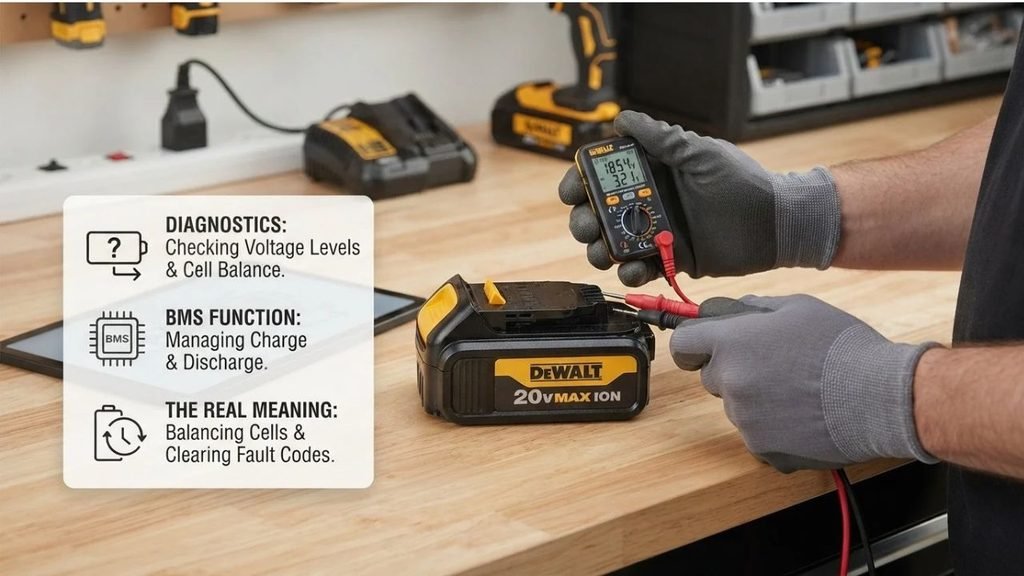
The word reset can describe several different problems.
A user might be trying to:
- Get a battery recognized by the charger.
- Clear a temperature-related charging fault.
- Restore a battery after deep discharge.
- Correct an inaccurate charge indicator.
- Recover normal runtime.
- Wake a battery that has been stored for months.
- Reset protection electronics after an overload.
These problems do not all have the same solution.
Modern cordless tool batteries contain more than battery cells. Many packs also contain sensors and electronic circuits that protect the battery against unsafe operating conditions.
Depending on the design, the battery may temporarily shut down because of:
- Excessive temperature
- Low cell voltage
- Excessive current
- Short-circuit detection
- Cell imbalance
- Internal electronic faults
Some protection states clear automatically after the cause disappears. Others require the battery to communicate with its charger. A serious internal fault may not reset at all.
Do Cordless Drill Batteries Have a Reset Button?
Most cordless drill batteries do not have a user-accessible reset button.
Some battery systems may include:
- A fuel-gauge button
- Charge-level indicator LEDs
- Diagnostic controls
- Manufacturer-specific electronic functions
A charge indicator button normally does not reset the battery. It simply displays the approximate remaining charge.
If your battery has an unusual button or indicator sequence, consult the instructions for that specific model instead of assuming it is a reset control.
Let the Battery Return to Room Temperature
Temperature is one of the most common reasons a cordless drill battery temporarily refuses to charge.
Lithium-ion battery packs generally include temperature monitoring. Charging may pause when the battery is too hot or too cold.
A battery can become hot after:
- Heavy drilling
- Driving large fasteners
- Using a hole saw
- Repeated high-load operation
- Operating the drill until the battery shuts down
- Being left in a hot vehicle
A battery can also become too cold after being stored in a garage, shed, vehicle, or jobsite during winter.
What to Do
Remove the battery and place it indoors at normal room temperature.
Do not try to speed the process by placing it:
- On a heater
- In direct intense sunlight
- Near an open flame
- In an oven
- Under a heat gun
Similarly, do not attempt to freeze a hot battery.
Allow the pack to reach room temperature naturally before trying the charger again.
Check the Battery and Charger Contacts
The battery must make reliable electrical contact with both the charger and the drill.
Inspect the metal terminals for:
- Dust
- Sawdust
- Corrosion
- Grease
- Bent contacts
- Foreign material
- Physical damage
Use a clean, dry cloth or soft brush to remove loose debris.
Do not scrape terminals aggressively with a metal object, because accidentally bridging two electrical contacts could cause a short circuit.
After cleaning, make sure the battery clicks or locks securely into the charger.
Make Sure the Charger Is Actually Working
Sometimes the battery is blamed when the charger is the real problem.
Before replacing the battery, check:
- The electrical outlet
- Charger power cord
- Charger indicator lights
- Battery seating
- Charger ventilation
- Compatibility between battery and charger
Try another known-working outlet.
If you own another compatible battery, placing it on the charger can also help isolate the problem.
If the second battery charges normally, the original battery is more likely to be the problem.
If no batteries charge, investigate the charger or power source.
Check the Charger Indicator Lights
Cordless drill chargers often communicate battery conditions through LEDs.
Depending on the brand, different patterns may indicate:
- Charging
- Fully charged
- Battery too hot
- Battery too cold
- Battery fault
- Charger fault
- Charging delay
Do not assume that a flashing light always means the battery has failed.
A flashing indicator may simply mean the charger is waiting for the battery temperature to return to an acceptable range.
Because manufacturers use different light patterns, check the label on the charger or the instructions for your specific model.
Reinstall the Battery Firmly
Battery packs sometimes fail to charge simply because they are not completely seated.
Remove the pack and inspect the rails or locking tabs.
Then slide or press the battery into the charger until it is fully seated.
A partially connected battery may cause:
- Intermittent charging
- Fault indicators
- No charging light
- Incorrect charge readings
Do the same when reinstalling the pack in the drill.
Can a Completely Discharged Lithium-Ion Drill Battery Be Reset?
Sometimes, but not always.
Lithium-ion batteries should not normally be discharged below a certain voltage. The battery management system usually shuts the pack down before cell voltage falls dangerously low.
However, a battery stored for a long period can continue to lose charge slowly.
Eventually, its voltage may fall low enough that the standard charger refuses to charge it.
At that point, the battery may appear completely dead.
Do Not Jump-Start the Battery
Online instructions sometimes recommend connecting a healthy battery to a dead lithium-ion battery to raise its voltage.
This technique can be dangerous because it bypasses normal charging controls.
Possible consequences include:
- Excessive current
- Cell overheating
- Internal battery damage
- Short circuits
- Fire
A battery charger is designed to control charging current and monitor battery conditions. Random battery-to-battery connections are not.
If the manufacturer’s charger cannot recognize a lithium-ion pack after normal troubleshooting, use an authorized repair option or replace the battery.
Can You Reset a Battery by Removing It From the Charger?
Sometimes removing and reinstalling the battery can clear a temporary communication or contact issue.
A reasonable sequence is:
- Unplug the charger.
- Remove the battery.
- Wait briefly.
- Reconnect the charger.
- Reinstall the battery.
This does not repair damaged cells, but it can sometimes clear a temporary charger condition.
What Is the Battery Management System?
The battery management system, often abbreviated BMS, is an electronic protection circuit used in many lithium-ion battery packs.
Its job may include monitoring:
- Cell voltage
- Battery temperature
- Charging current
- Discharging current
- Pack voltage
- Short-circuit conditions
The system can shut the battery down if operating conditions move outside safe limits.
This protection is one reason modern lithium-ion power-tool batteries should not be treated like simple collections of rechargeable cells.
Can You Manually Reset the BMS?
For typical consumers, manually opening a cordless tool battery and bypassing or resetting the internal BMS is not recommended.
Battery packs can contain significant electrical energy even when they appear dead.
Opening the housing can expose:
- Live terminals
- High-current connections
- Individual lithium-ion cells
- Temperature sensors
- Control electronics
A damaged lithium-ion cell can overheat or ignite.
Use manufacturer-approved procedures rather than attempting to bypass internal protection circuitry.
How to Reset an Overheated Cordless Drill Battery
If the drill stops during heavy use and the battery feels hot, thermal protection may have activated.
Remove the battery and allow it to cool naturally.
Once it reaches a normal temperature:
- Inspect it for damage.
- Insert it into the charger.
- Check the charger status.
- Allow it to charge normally.
- Test it in the drill.
If overheating happens repeatedly during light use, the battery, drill, charger, or application may need further inspection.
What If the Battery Works but the Charge Gauge Is Wrong?
Occasionally, a battery’s fuel gauge may not seem to match its actual runtime.
For example, the indicator may fall quickly even though the tool continues running normally.
With some battery systems, normal use followed by a complete manufacturer-approved charging cycle can help the electronics estimate charge more accurately.
This should not be confused with deliberately draining a lithium-ion battery to zero.
Modern lithium-ion batteries do not need routine full discharges.
Resetting Older NiCd Drill Batteries
Older cordless drills may use nickel-cadmium (NiCd) batteries.
These packs behave differently from lithium-ion batteries.
After repeated partial charging, an older NiCd battery may show reduced usable capacity. Normal conditioning through manufacturer-approved charging and use can sometimes improve performance.
A basic approach is to:
- Fully charge the battery using the correct charger.
- Use the drill normally until performance drops significantly.
- Let the battery cool.
- Recharge it fully.
Repeating normal cycles may help determine the battery’s actual condition.
However, severely degraded NiCd cells generally cannot be permanently restored through simple reset procedures.
What About NiMH Batteries?
Nickel-metal hydride (NiMH) batteries were also used in some cordless tools.
NiMH packs can lose capacity as they age, although their behavior differs from both NiCd and lithium-ion batteries.
Use the charger specifically designed for the battery chemistry and voltage.
Do not use a lithium-ion charging procedure on a NiMH battery or vice versa.
Battery Chemistry Matters
Before troubleshooting, identify the battery type.
Look for markings such as:
- Li-ion
- Lithium-ion
- NiCd
- Nickel-cadmium
- NiMH
- Nickel-metal hydride
Also note the rated voltage.
Common cordless tool battery voltages include systems marketed around 12V, 18V, and 20V classes, although exact electrical ratings and marketing conventions vary between manufacturers.
Never assume batteries with similar voltage labels are interchangeable.
Common Reasons a Cordless Drill Battery Will Not Charge
A failed charging attempt does not automatically mean the pack needs resetting.
Common causes include:
Battery Is Too Hot
Allow it to cool naturally.
Battery Is Too Cold
Bring it indoors and let it reach room temperature.
Dirty Contacts
Clean visible dirt from battery and charger terminals.
Charger Failure
Test the charger with another compatible battery when possible.
Battery Cells Are Worn Out
Rechargeable batteries lose capacity with age and repeated cycling.
Deep Discharge
A battery stored unused for a long period may fall below the charger’s acceptable voltage range.
Internal Protection Fault
The battery electronics may detect an unsafe condition and prevent operation.
Physical Damage
Impact damage, water intrusion, or damaged terminals can make the pack unsafe to use.
Signs the Battery Probably Needs Replacement
Resetting and troubleshooting have limits.
Consider replacing the battery if it:
- Will not charge on a known-working compatible charger
- Runs only briefly after a full charge
- Shuts down repeatedly under light load
- Becomes unusually hot during charging
- Has cracked or damaged housing
- Shows visible swelling
- Has burned or melted terminals
- Produces an unusual smell
- Has been exposed to serious water damage
A swollen lithium-ion battery should not be charged or used.
Why an Old Battery Loses Runtime
Rechargeable cells gradually wear out.
Every charging and discharging cycle causes small internal chemical changes.
Eventually, battery capacity declines.
A battery that originally powered a drill for a long work session might later provide only a fraction of that runtime.
A reset cannot reverse normal cell aging.
If the battery charges successfully but has very short runtime, worn cells are often a more likely explanation than an electronic reset issue.
Should You Open a Cordless Drill Battery?
For routine troubleshooting, no.
Power-tool battery packs can deliver very high current.
Even when the drill will not run, individual cells may still contain substantial energy.
Opening the pack may expose conductors that can short if contacted by:
- Screwdrivers
- Pliers
- Jewelry
- Loose wires
- Other metal objects
Lithium-ion cell replacement and pack rebuilding require appropriate equipment, knowledge, compatible cells, and proper battery-management considerations.
For most homeowners, replacement is the safer and more practical option.
Battery Reset Methods You Should Avoid
Several popular internet techniques create unnecessary risk.
Avoid:
- Jump-starting a lithium-ion battery from another battery
- Connecting random power supplies to battery terminals
- Shorting battery terminals
- Bypassing the battery management system
- Freezing a battery to “restore” it
- Heating the pack with a heat gun
- Opening lithium-ion cells
- Drilling into or puncturing a battery
- Charging with an incompatible charger
A rechargeable battery is an energy-storage device, not just an ordinary electrical component. Improvised recovery methods can turn a failed battery into a damaged or unstable one.
How to Help a Cordless Drill Battery Last Longer
Good battery habits can reduce the need for troubleshooting.
Avoid Excessive Heat
Heat accelerates battery aging.
Do not leave batteries for long periods in extremely hot vehicles or direct summer sunlight.
Use the Correct Charger
Use a charger approved for the battery system.
Avoid Long-Term Storage Completely Empty
Lithium-ion packs generally store better with some charge remaining rather than being left fully depleted for months.
Keep Contacts Clean
Dust from drilling and woodworking can accumulate around battery rails and terminals.
Allow Hot Batteries to Cool
After demanding work, give a hot battery time to cool before charging if the charger does not automatically manage temperature.
Protect the Battery From Impact
Dropping a battery can damage cells, terminals, or internal electronics even when the housing looks mostly normal.
Is the Drill Sometimes the Problem?
Yes.
If a battery appears charged but the drill still does not work, the drill itself may have a fault.
Possible problems include:
- Dirty battery contacts
- Trigger switch failure
- Motor problems
- Damaged wiring
- Electronic controller failure
- Mechanical binding
Test the battery in another compatible tool when possible.
Alternatively, test another known-working battery in the drill.
This simple comparison can help determine whether the battery or the tool is responsible.
FAQs About How to Reset a Cordless Drill Battery
Is There a Reset Button on a Cordless Drill Battery?
Usually not. Most cordless drill batteries do not have a dedicated user reset button.
A button on the battery is more commonly used to display the remaining charge level.
How Do I Wake Up a Dead Lithium-Ion Drill Battery?
Start by letting the battery reach room temperature, cleaning its contacts, and placing it on the correct charger.
If a manufacturer-approved charger cannot recognize the battery, do not attempt to wake it by connecting another battery or external power supply.
Why Is My Drill Battery Charger Flashing?
A flashing charger light can indicate several conditions, including charging, temperature delay, or a battery fault.
The exact meaning varies by manufacturer, so check the charger’s indicator guide.
Can I Reset a Cordless Drill Battery by Fully Draining It?
Modern lithium-ion batteries do not need routine full discharge cycles.
Repeatedly running a lithium-ion pack completely down is not a recommended reset technique.
Older NiCd batteries behave differently and may benefit from normal charge-and-use conditioning.
Why Does My Cordless Drill Battery Say It Is Charged but Not Work?
The battery may have weak cells that cannot provide enough current under load. The drill may also have dirty contacts or an internal problem.
Testing the battery in another compatible tool can help identify the cause.
Can a Bad Cordless Drill Battery Be Repaired?
Some specialized battery repair services rebuild certain packs, but repair is not always economical or appropriate.
For most consumers, a damaged, swollen, overheating, or internally failed lithium-ion pack should be replaced rather than opened at home.
How Long Should I Leave a Dead Drill Battery on the Charger?
Follow the charger manufacturer’s instructions. Modern chargers generally control the charging process automatically.
Leaving an unrecognized or fault-indicating battery connected indefinitely is unlikely to repair damaged cells.
Why Did My Drill Battery Suddenly Stop Working?
The battery may have activated protection because of overheating, overload, low voltage, or another detected condition.
Allow it to cool, inspect the terminals, and try the proper charger. If the fault keeps returning, the battery may require replacement.
Conclusion
Learning how to reset a cordless drill battery starts with recognizing that most modern batteries do not have a universal reset switch. A safe reset usually involves removing the battery, allowing it to return to room temperature, checking and cleaning the contacts, reinstalling it correctly, and using the proper manufacturer-approved charger.
Temporary temperature or connection problems can often be resolved without replacing the pack. However, deeply discharged, damaged, overheated, swollen, or badly worn lithium-ion batteries may not be recoverable.
Avoid jump-starting batteries, bypassing protection circuits, or applying power directly to the terminals. If normal troubleshooting does not restore the battery, replacing the pack or having it evaluated by an appropriate repair service is safer than attempting an improvised electrical reset.