How to Charge a Cordless Drill Without a Charger Safely
A missing or broken drill charger can bring a project to a stop, especially when the battery is already low. If you are trying to figure out how to charge a cordless drill without a charger, the safest solution is usually not to improvise a homemade charging setup. Modern cordless drill batteries—especially lithium-ion battery packs—depend on controlled voltage, current, temperature monitoring, and battery-management circuitry during charging.
That means you normally cannot safely connect a random power adapter, USB cable, automotive battery charger, or exposed wires directly to the drill battery. Even when the voltage printed on another power supply looks similar, the charging method may be completely different. An incorrect connection can damage individual battery cells, overheat the pack, shorten its life, or create a fire risk.
Fortunately, being without the original charger does not always mean you need to replace the entire drill. Depending on the drill and battery system, you may be able to use a manufacturer-compatible replacement charger, another approved charger from the same battery platform, a supported USB-C charging method, or a compatible third-party charger designed specifically for that exact battery model.
This guide explains which options are generally safe, which methods should be avoided, how to identify the correct replacement charger, and what to do if you need to get your cordless drill working again without damaging the battery.
How to Charge a Cordless Drill Without a Charger
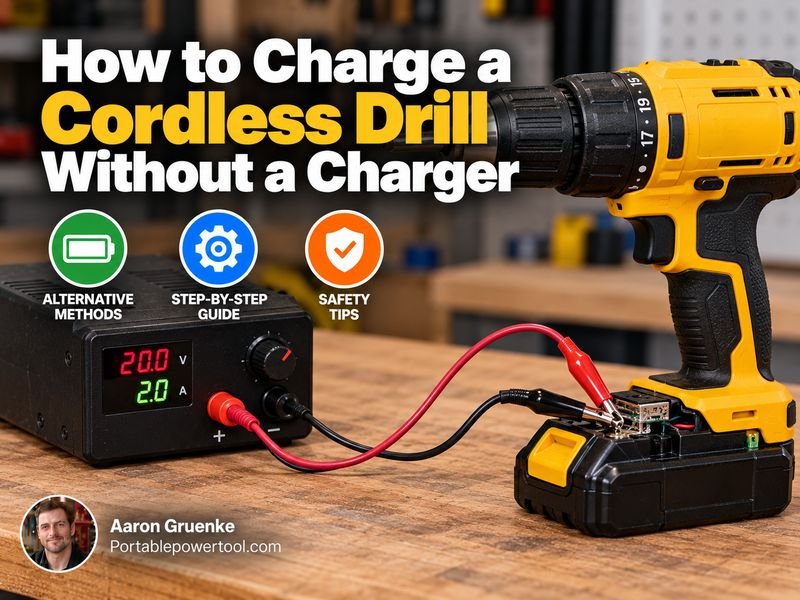
The safest way to charge a cordless drill without its original charger is to use another approved charger that is compatible with the exact battery pack.
Start by checking the battery label for:
- Brand
- Battery series or platform
- Battery chemistry
- Nominal voltage
- Model number
- Charging specifications, if listed
Then find a charger specifically approved for that battery.
For example, if your drill belongs to a manufacturer’s 20V battery platform, another charger designed for that same platform may work even if it originally came with a different tool.
However, matching voltage alone is not enough. A 20V charger from one brand should not automatically be considered compatible with a 20V battery from another brand.
The Safest Options
In most situations, your practical choices are:
- Use another charger from the same compatible battery platform.
- Purchase a replacement charger recommended for your exact battery.
- Use an approved third-party charger specifically designed for the battery model.
- Use built-in USB or USB-C charging if your drill or battery officially supports it.
- Borrow a compatible charger temporarily.
These approaches allow the battery’s charging and protection systems to function as intended.
Why Cordless Drill Batteries Need the Correct Charger
A cordless drill battery is more complicated than a group of rechargeable cells connected together.
Modern battery packs often include a battery management system, commonly called a BMS. This electronic system can help monitor voltage, current, temperature, and the condition of individual cells.
The charger and battery may also communicate electronically.
This is particularly important with lithium-ion batteries because they require controlled charging.
Lithium-Ion Batteries
Most newer cordless drills use lithium-ion batteries.
Lithium-ion cells need carefully controlled voltage and current. Charging voltage that is too high can damage a cell, while improper charging can cause overheating or permanently reduce battery capacity.
A proper charger typically adjusts the charging process automatically and stops charging when the correct conditions are reached.
Nickel-Cadmium and Nickel-Metal Hydride Batteries
Older cordless drills may use nickel-cadmium (NiCd) or nickel-metal hydride (NiMH) batteries.
These battery types use different charging methods from lithium-ion batteries.
For that reason, you should never assume that an older charger will work simply because its plug or voltage appears similar.
Can You Use Another Drill Charger?
Yes, but only when the charger is designed for your battery.
The easiest situation is when several cordless tools share the same manufacturer’s battery platform.
A drill, impact driver, circular saw, flashlight, and other tools may all use the same battery family.
In that case, their chargers may also be interchangeable.
Check the charger’s compatibility list or the battery model information before using it.
Do Not Match Chargers by Voltage Alone
Two batteries labeled with the same voltage can still have:
- Different terminal layouts
- Different charging voltages
- Different electronics
- Different temperature sensors
- Different communication systems
- Different battery chemistry
For example, two batteries may both be labeled 18V but use completely different charging systems.
Physical fit does not automatically prove electrical compatibility either.
Can You Buy a Replacement Charger?
Yes. In most cases, buying a replacement is the simplest long-term solution.
Look at the battery or drill identification label and find the exact model or battery series.
Whenever possible, use:
- The original manufacturer’s replacement charger
- A charger officially listed as compatible
- A reputable third-party charger specifically made for that exact battery
Avoid chargers that simply claim to work with a broad range of batteries without clearly identifying supported models.
A replacement charger is generally much less expensive than replacing an otherwise functional cordless drill and battery set.
Can You Borrow a Charger?
Yes, provided it is compatible.
If a friend, coworker, or neighbor uses the same battery platform, borrowing the charger can be a practical temporary solution.
Before inserting your battery, compare:
- Battery family
- Model numbers
- Voltage
- Charger compatibility information
The charger should fit normally without forcing the battery into place.
Never modify a battery or charger housing to make incompatible equipment fit.
Can You Charge a Cordless Drill Battery With USB-C?
Sometimes.
Some newer power-tool batteries and compact cordless drills support USB-C charging either directly or through an approved adapter.
If your battery has a USB-C port, check the manufacturer’s instructions before connecting a charger.
The presence of a USB-C port does not always mean that the port accepts charging. On some battery packs, USB ports are intended only for supplying power to phones or other devices.
If the manufacturer says USB-C charging is supported, use a power adapter that meets the specified requirements.
Can You Charge a Drill Battery With a Phone Charger?
Usually not.
A typical phone charger is designed to provide USB power, while most cordless drill batteries require a specialized charging system.
Even if you could physically connect the two, the voltage and charging process usually would not match.
The exception is a cordless drill or battery specifically designed for USB or USB-C charging.
If the manufacturer does not describe USB charging as an approved method, do not attempt it.
Can You Charge a Drill Battery With a Laptop Charger?
In most cases, no.
Laptop power adapters may provide voltages that appear similar to some cordless drill batteries, but they are not necessarily battery chargers.
A laptop adapter normally provides DC power to electronics that contain their own charging circuitry.
A cordless drill battery requires a charger designed to manage its battery chemistry and charging requirements.
Connecting a laptop adapter directly to battery terminals can bypass important safety controls.
Can You Use a Car Battery to Charge a Cordless Drill?
Directly connecting a cordless drill battery to a car battery is not a safe charging method.
Automotive electrical systems can supply very high current. A direct connection can cause:
- Battery overheating
- Damaged cells
- Melted wiring
- Sparks
- Short circuits
- Fire
If you need to charge drill batteries while traveling, use equipment intended for that purpose.
Some manufacturers sell vehicle chargers that plug into a vehicle’s 12V outlet and safely charge compatible tool batteries.
Another option may be a suitable power inverter paired with the normal drill charger, provided the inverter and charger are compatible.
Can You Charge a Drill Battery With a Bench Power Supply?
A laboratory bench power supply can provide adjustable voltage and current, but that does not automatically make it a safe substitute for a battery charger.
Charging modern lithium-ion tool packs can require monitoring and balancing that a basic bench power supply does not provide.
Some battery packs also use additional terminals for temperature monitoring or communication with the charger.
For beginners, direct charging with a bench supply is not recommended.
Use the correct charger instead.
Why Direct-Wire Charging Is Risky
Online guides sometimes suggest attaching wires directly to the positive and negative battery terminals.
This can be dangerous.
Direct wiring may bypass:
- Charge-control circuitry
- Temperature protection
- Cell balancing
- Current limiting
- Automatic charge termination
The battery might appear to charge, but that does not mean the process is safe.
Improper lithium-ion charging can cause internal cell damage that is not immediately visible.
A damaged battery may later overheat during charging, storage, or use.
What About Universal Battery Chargers?
Some universal chargers can safely charge multiple battery models, but compatibility must be clearly stated.
A proper universal power-tool battery charger should specifically identify the battery platforms it supports.
Do not use a generic adjustable charger simply because you can select a matching voltage.
The charger must also support the battery’s:
- Chemistry
- Charging voltage
- Terminal configuration
- Protection system
- Charging protocol
For beginners, model-specific compatibility is far more important than advertised universality.
How to Find the Correct Charger for Your Drill Battery
Finding the right replacement usually takes only a few minutes if the battery label is readable.
Check the Battery Label
Remove the battery from the drill and look for a label containing a model number.
You may also see information such as:
- 12V
- 18V
- 20V MAX
- 24V
- Lithium-ion
- Li-ion
- NiCd
- NiMH
- Amp-hour rating
The model number is usually the most useful piece of information.
Check the Drill Model Number
If the battery information is missing or damaged, locate the drill’s model number.
You can then determine which battery platform the drill uses.
Match the Battery Family
Many manufacturers sell several battery families that operate at similar voltages.
Make sure the charger supports the specific battery family rather than simply matching the number printed on the battery.
Check Battery Chemistry
A charger designed exclusively for NiCd batteries should not automatically be used on lithium-ion batteries.
Likewise, an older battery may not be compatible with a newer charger unless the manufacturer specifically says it is.
What If the Battery Will Not Charge With the Correct Charger?
If you find the proper charger but the battery still does not charge, the charger may not be the original problem.
Possible causes include:
- Battery temperature is too high
- Battery temperature is too low
- Dirty battery contacts
- Damaged terminals
- Failed battery cells
- Faulty charger
- Battery management system fault
- Battery pack has reached the end of its useful life
Allow an overheated battery to cool naturally before trying again.
Do not place the battery in a freezer or intentionally heat it.
Clean Dirty Contacts Carefully
Dust and oxidation can sometimes prevent reliable electrical contact.
Remove the battery and unplug the charger before cleaning.
Use a clean, dry cloth or another method recommended by the manufacturer.
Do not insert metal tools across electrical terminals because they can create a short circuit.
Can a Completely Dead Drill Battery Be Revived?
Sometimes a battery that appears completely dead may recover when placed in its proper charger, but not every dead battery can or should be revived.
Lithium-ion battery packs may shut down when voltage falls too low.
Some chargers can safely recognize and recover certain low-voltage conditions. Others may refuse to charge the battery because the pack has fallen outside its safe operating range.
Avoid trying to “jump-start” a battery using another battery pack.
If the proper charger repeatedly rejects the battery, replacement or professional evaluation is usually safer than bypassing the battery’s protection circuitry.
Signs You Should Stop Using a Drill Battery
Do not attempt to charge a battery that shows obvious physical damage.
Stop using the battery if you notice:
- Swelling
- Cracked housing
- Melted plastic
- Burn marks
- Leaking fluid
- Unusual chemical odor
- Excessive heat
- Damaged terminals
A battery that has been crushed, punctured, or severely dropped should also be inspected carefully.
Damaged lithium-ion batteries require appropriate disposal or recycling. They generally should not be placed in household trash.
Best Temporary Options When You Have No Charger
If you need the drill urgently, avoid experimenting with the battery.
A safer temporary solution is usually to:
- Borrow a compatible charger.
- Use another charged battery from the same platform.
- Buy a replacement charger locally.
- Use another compatible cordless tool battery.
- Use a corded drill if one is available.
These options may be less inventive than homemade charging methods, but they greatly reduce the chance of damaging an expensive battery.
How to Prevent Losing Your Drill Charger Again
A little organization can prevent the same problem later.
Store the charger near the drill or battery storage area rather than leaving it connected in different parts of the workshop.
Label chargers if you own several cordless tool systems.
You can also keep the charger’s model number in your phone or workshop records. That makes finding a replacement much easier if the charger is lost.
For frequently used tools, owning a second approved charger can also be useful.
Common Mistakes to Avoid
The biggest mistake is assuming that similar voltage means compatible charging.
Other mistakes include:
- Connecting exposed wires to battery terminals
- Using an automotive battery charger
- Forcing a battery into the wrong charger
- Using a damaged charger
- Charging a swollen battery
- Leaving an improvised charging setup unattended
- Trying to bypass protection electronics
- Mixing chargers designed for different battery chemistries
Modern cordless tool batteries store substantial energy in a compact package. Using the intended charging equipment is the simplest way to manage that energy safely.
FAQs About How to Charge a Cordless Drill Without a Charger
What is the safest way to charge a drill battery without its original charger?
Use another charger that is specifically approved for your exact battery or battery platform.
A compatible replacement charger provides the proper voltage, current control, and battery protection required during charging.
Can I use any charger with the same voltage?
No.
Matching voltage does not guarantee compatibility.
The battery chemistry, terminal arrangement, charging protocol, current requirements, and protection electronics must also be compatible.
Can I charge an 18V drill battery with a 20V charger?
Only if the manufacturer specifically states that the charger and battery are compatible.
Some tool platforms use different marketing voltage labels for closely related systems, while others are completely incompatible.
Do not determine compatibility from voltage numbers alone.
Can I charge my cordless drill through the drill itself?
Usually not.
Most cordless drills require the battery to be removed and placed in a dedicated charger.
However, some compact drills include a charging port built into the tool.
If your drill has one, follow the manufacturer’s charging instructions.
Can I use another battery from the same brand?
Possibly.
Many tool manufacturers operate several separate battery platforms.
A battery from the same brand must still be compatible with your specific drill.
Check the battery platform or model number rather than relying only on the brand name.
Is it safe to charge a drill battery by connecting wires directly to it?
Direct wiring is not recommended.
It can bypass charging controls and battery protection systems, especially in lithium-ion packs.
Using the correct charger is substantially safer.
What should I do if I lost both the charger and battery information?
Find the model number printed on the drill.
That number can usually be used to identify the correct battery platform and charger.
Avoid trying random chargers until compatibility has been confirmed.
Should I replace the battery or just buy a new charger?
If the battery still works normally and is not damaged, replacing the missing charger is usually the more practical option.
If the battery is swollen, damaged, extremely old, or repeatedly rejected by a correct charger, battery replacement may also be necessary.
Conclusion
The safest answer to how to charge a cordless drill without a charger is to replace the missing charger with one that is specifically compatible with your battery or use another approved charger from the same battery platform.
Avoid connecting random adapters, car batteries, laptop chargers, or exposed wires directly to cordless drill batteries. Modern lithium-ion battery packs rely on controlled charging and protection systems that improvised methods may bypass.
Check the battery model, voltage, chemistry, and platform before choosing a replacement charger. If your drill officially supports USB-C or another alternative charging method, follow the manufacturer’s instructions. Otherwise, using the correct charger remains the safest and most reliable way to get your cordless drill back to work.